
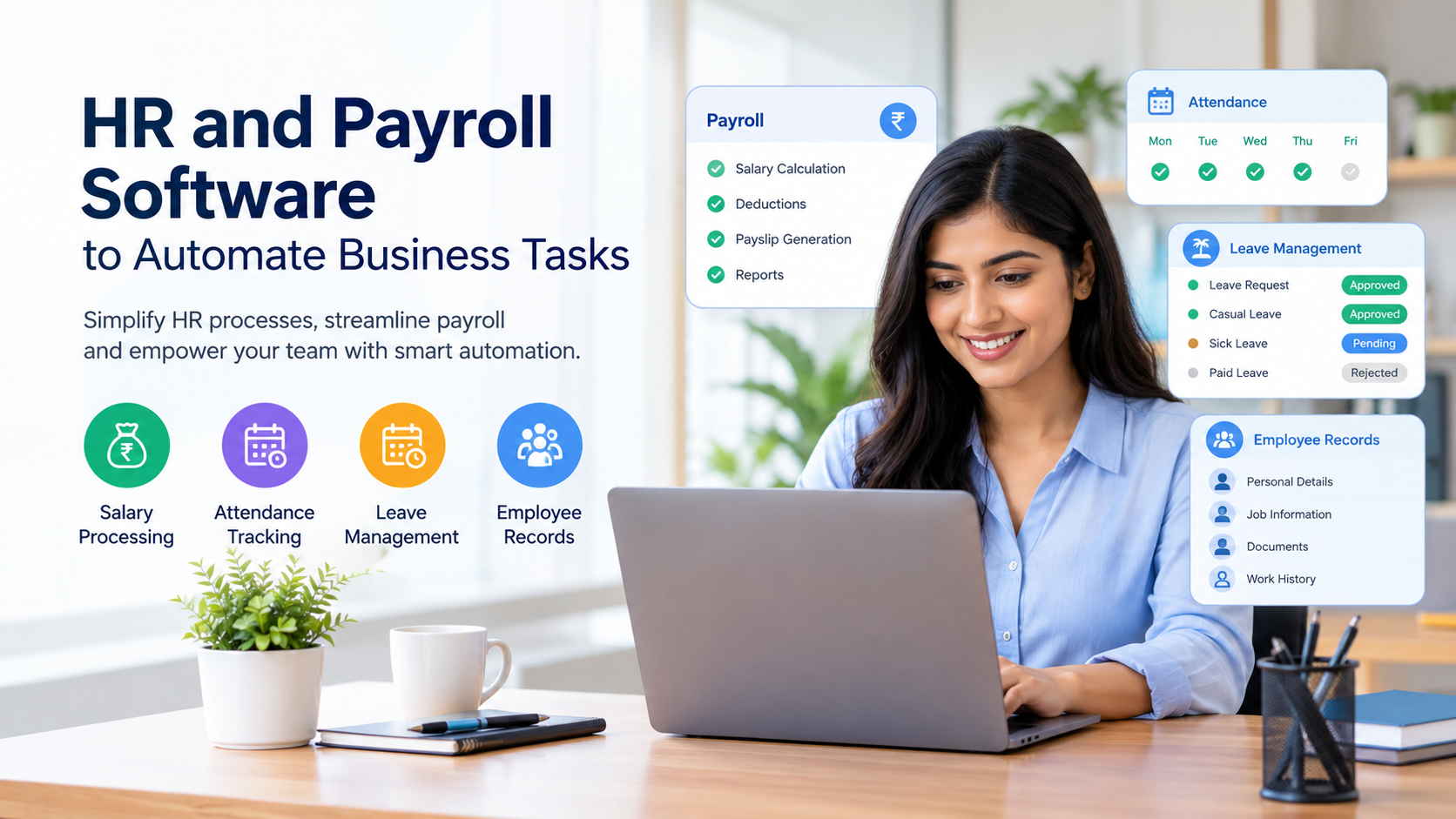
HR and payroll management software automates salary processing, attendance tracking, leave management and employee records. It helps businesses reduce manual work, improve payroll accuracy and streamline HR operations.
₹2,495/month, includes 50 employeesgreytHR Essential₹4,495/month, includes 50 employeesgreytHR GrowthHR and payroll software helps businesses automate salary processing, attendance tracking, leave management and employee records. For small businesses and growing companies in India, HR and payroll management software reduces repetitive administrative work, improves payroll accuracy and streamlines daily HR operations. By bringing employee information and payroll tasks into one system, businesses can simplify workforce management, minimise manual errors and improve productivity. With the right payroll management software, HR teams can manage employee data more efficiently, maintain organised records and focus on important activities such as employee engagement, workforce planning and business growth.HR and payroll software helps businesses organise employee information, simplify payroll activities and automate repetitive administrative tasks through a centralised system. Instead of maintaining disconnected records, HR teams can manage important workforce information in a more structured and efficient way.
For small businesses, startups and growing companies in India, HR and payroll management software can make everyday operations easier while giving employees a clearer process for accessing their information and requesting approvals.
This guide explains how HR and payroll management software works, which features businesses should look for, how automation improves productivity and how to choose a suitable solution.
What Is HR and Payroll Management Software?
HR and payroll management software is a digital system that helps businesses manage employee information, attendance, leave, salary processing and related administrative activities. It reduces dependence on repetitive manual work by organising workforce data and supporting consistent workflows.
HR software focuses on employee records and workforce administration, while payroll software handles salary calculations, deductions, payslips and payroll reports. When these functions are connected, businesses can use employee and attendance information to support their payroll process.
For example, an employee's approved leave and recorded attendance may affect the salary calculation for a particular pay period. A connected system helps HR teams bring the relevant information together instead of collecting it from multiple spreadsheets.
Depending on the product, HR and payroll software may include:
Employee profiles and document management
Attendance and working-hour records
Leave applications and approval workflows
Salary components and payroll calculations
Payslip generation and payroll reports
Employee self-service features
Notifications, reminders and workflow automation
Access controls and activity records
The available features vary by software provider and subscription plan. Businesses should confirm that the functions they need are included before purchasing a solution.
Why Should Businesses Automate HR and Payroll Tasks?
Businesses automate HR and payroll tasks to reduce repetitive administration, improve data consistency and make routine processes easier to manage. Automation also helps HR teams spend less time collecting information and more time supporting employees and business goals.
Manual processes can work when a company has only a few employees. However, as the workforce grows, the number of attendance records, leave requests, salary adjustments and employee documents increases.
Automation can help address common challenges such as:
Repeatedly entering employee details into different files
Collecting attendance information at the end of every month
Calculating salary adjustments manually
Following up on pending leave approvals
Preparing payslips individually
Searching through old documents to answer employee questions
Preparing payroll summaries for management
A well-configured system creates a more consistent process for these activities. It does not eliminate the need for human oversight, but it can reduce the amount of repetitive work required.
How Does HR and Payroll Software Automate Business Tasks?
HR and payroll software automates business tasks by connecting employee information with attendance records, leave approvals, payroll workflows and reporting tools. The exact automation depends on the software's capabilities and the rules configured by the business.
1. How Does It Simplify Employee Data Management?
A central employee database keeps essential information organised in one place. Instead of maintaining separate spreadsheets for employee contact details, joining dates, departments and employment records, HR teams can use structured profiles.
A typical employee profile may include:
Employee identification and contact details
Department and job title
Joining date and employment status
Salary structure and approved changes
Attendance and leave information
Relevant employment documents
Centralised records reduce duplication and make information easier to retrieve. Access permissions are important because not every manager or employee should be able to view confidential salary or personal information.
Businesses should also establish clear procedures for updating records and correcting inaccurate information.
2. How Does Payroll Automation Make Salary Processing Easier?
Payroll automation helps businesses organise salary calculations by using configured salary components, attendance information, approved adjustments and applicable deductions.
A typical monthly payroll process includes:
Reviewing employee records and salary structures.
Checking attendance, working days and approved leave.
Recording overtime, incentives, bonuses or other applicable adjustments.
Calculating gross salary and authorised deductions.
Reviewing tax and statutory payroll requirements.
Checking payroll results before approval.
Generating payslips and payroll reports.
Arranging salary payments through the company's authorised payment process.
Software can simplify many of these steps, but the accuracy of the results depends on the quality of the input data and the correctness of the configuration.
Payroll teams should verify salary changes, deduction rules and unusual cases before approving a payroll run. Automated calculations should not be treated as a substitute for checking the final results.
3. How Can Attendance and Leave Tracking Be Automated?
Attendance and leave management become easier when employees and managers follow a consistent digital process.
Employees may be able to submit leave requests online, check their leave balances and view attendance records. Managers can review requests and approve or reject them according to company policy.
Depending on the software, attendance information may come from manual entries, mobile applications, biometric devices or integrated attendance systems.
Automation can help businesses:
Record attendance in a structured format
Calculate working hours based on configured rules
Track late arrivals and absences
Maintain leave balances
Send reminders for pending approvals
Share approved attendance information with payroll
Businesses should configure their leave policies, shifts, holidays and approval rules carefully. They should also provide a process for correcting missed punches, disputed attendance and other exceptions.
4. Can HR Software Automate Employee Onboarding?
Yes. HR software can support onboarding by organising joining documents, employee details, task assignments and approval steps in a defined workflow.
When a new employee joins, the HR team may need to collect documents, create an employee profile, assign a department, communicate workplace policies and coordinate with other teams.
An onboarding workflow can help by assigning responsibilities and reminding relevant people about pending activities.
For example, the HR team may be responsible for creating the employee profile, the reporting manager may need to assign initial tasks, and the accounts team may need to verify payroll details.
A connected workflow makes these responsibilities easier to track. The precise steps should reflect the company's onboarding policy and the features available in its software.
5. How Does Automation Improve HR Reporting?
HR reporting helps management understand workforce information without manually combining multiple files.
Depending on the available reporting features, HR teams may review:
Total employee count
Attendance and absence patterns
Leave utilisation
Payroll summaries
Department-wise employee information
Pending HR approvals
Changes in employee records
These reports help managers identify administrative bottlenecks and plan workforce activities.
For example, a report showing frequent attendance corrections may indicate that the company needs clearer attendance procedures or better integration between its attendance devices and HR system.
Reports are only as useful as the information they contain. Regular data checks and consistent reporting definitions are necessary for reliable decision-making.
Which Features Should You Look for in HR and Payroll Software?
The right HR and payroll software should match your business size, payroll process, employee policies and compliance requirements. Avoid choosing a product based only on the number of features advertised.
The following table summarises important capabilities to evaluate.
| Feature | What it helps you do |
|---|---|
| Employee database | Organise employee profiles and documents |
| Payroll processing | Calculate salaries and prepare payroll records |
| Attendance tracking | Maintain working-hour and attendance information |
| Leave management | Submit, approve and track leave requests |
| Payslip generation | Prepare employee salary statements |
| Payroll reporting | Review salary totals and payroll summaries |
| Workflow automation | Reduce repetitive tasks and follow-ups |
| Employee self-service | Let employees access permitted information |
| Role-based access | Restrict access to confidential records |
| Data export and integration | Transfer information between supported systems |
Before selecting a solution, ask whether the listed features are included in your chosen plan or require an additional subscription or integration.
What Are the Benefits of HR and Payroll Management Software?
HR and payroll management software can improve operational efficiency by reducing repeated data entry, organising records and making routine processes more consistent.
Reduced Administrative Work
HR teams spend time collecting attendance records, answering routine queries and preparing documents. Automation can reduce repetitive steps and allow employees to focus on activities that require attention and judgement.
More Consistent Payroll Processing
Using standardised salary components and configured calculations helps reduce avoidable inconsistencies. Reviewing payroll outputs before approval remains essential, especially when salary structures or employee circumstances change.
Better Employee Experience
Employees benefit when they can access permitted information, review payslips and submit leave requests through a clear process. Transparent workflows can also make it easier to understand the status of a request.
Improved Record Organisation
A central system makes employee records easier to locate and update. Defined access permissions and document-handling procedures help protect confidential information.
Easier Business Scaling
As a business hires more employees, administrative requirements grow. A system with suitable capacity and configurable workflows can help the HR team manage a larger workforce without increasing manual work at the same rate.
More Useful Management Reports
Organised attendance, employee and payroll records can support workforce planning and internal reviews. Managers can make more informed decisions when reports are accurate and regularly updated.
How Can Indian Businesses Manage Payroll Compliance?
Indian businesses should configure payroll processes according to the laws, rules and obligations applicable to their organisation, employees and locations. These may include income tax deductions, provident fund contributions, employee insurance obligations and applicable state-level requirements.
Payroll software can help maintain records, apply configured calculations and prepare reports. However, purchasing software alone does not guarantee compliance.
Businesses should take the following steps:
Confirm which statutory requirements apply to the organisation.
Maintain accurate employee and salary information.
Review applicable tax and contribution rules.
Update payroll configurations when requirements change.
Verify deductions and employer contributions before processing.
Maintain required records and supporting documents.
Track applicable payment, filing and reporting deadlines.
Consult a qualified payroll or tax professional when necessary.
For official guidance, refer to the Income Tax Department's salary income guidance.
Because compliance requirements can change, payroll administrators should verify current rules with the relevant authorities rather than relying exclusively on software defaults or older documentation.
How Do You Choose the Right HR and Payroll Software for Your Business?
Choosing suitable software requires an assessment of your current processes, employee count, payroll complexity, budget and future requirements.
Step 1: Identify Your Main Challenges
List the tasks that consume the most time or cause the most errors. Your priorities might include attendance reconciliation, leave approvals, payroll calculations, employee records or report preparation.
Start with the problems that have the greatest operational impact rather than purchasing features you may never use.
Step 2: Check Essential Payroll Features
Confirm that the software supports your salary structure, allowances, deductions, attendance rules and payslip requirements.
If your business operates in multiple locations or employs different categories of workers, check whether the software can accommodate the relevant policies and payroll scenarios.
Step 3: Review Integration Options
Find out whether the system can connect with your attendance devices, accounting software, banking workflows or other business applications.
Integration requirements should be confirmed with the provider. Do not assume that every system or payment service is supported automatically.
Step 4: Evaluate Security and Access Controls
Employee information and salary records are confidential. Check how the software manages user permissions, authentication, backups, audit records and data access.
Ask the provider about data storage, recovery procedures and the process for removing access when employees leave the organisation.
Step 5: Compare Total Cost
Review subscription charges, setup fees, taxes, training, migration and additional modules. A low advertised price may not reflect the complete cost of implementing the software.
Step 6: Test the Software Before Implementation
Where a trial or demonstration is available, test the system using representative employee records and realistic payroll scenarios. Check the outputs before migrating all your data or relying on the software for live salary processing.
How Does OrbitO CRM Help Businesses Manage HR Tasks?
OrbitO CRM provides a connected business platform that brings CRM, HR, payroll and workflow automation capabilities into a shared workspace. Its HR-related tools can help businesses organise employee information, attendance, leave activities and related administrative workflows.
Businesses exploring a connected approach can review the OrbitO product suite to understand its HR and business automation capabilities.
A connected system can be useful when a company wants to reduce the need to switch between separate applications for everyday business activities. However, organisations should confirm the specific payroll functions, integrations and compliance capabilities they require before implementation.
When evaluating OrbitO CRM, consider the following questions:
Can the system support your current employee records and HR workflows?
Does it offer the attendance and leave functions your team needs?
Can the payroll process accommodate your salary structures and applicable deductions?
Are the necessary reports and payslips available?
What onboarding, support and data migration assistance is provided?
Which features are available in your selected plan?
You can review the OrbitO CRM pricing page to compare published subscription options and contact the team if you need clarification about HR and payroll functionality.
The best solution is one that fits your actual business processes, gives employees a straightforward experience and supports reliable administrative controls.
What Mistakes Should Businesses Avoid When Automating HR and Payroll?
Automation is most effective when the underlying processes and data are reliable. Businesses should avoid the following common mistakes:
Migrating inaccurate records: Clean and verify employee information before importing it.
Ignoring payroll exceptions: Test overtime, incentives, unpaid leave, new joiners and employee exits.
Skipping payroll reviews: Require authorised personnel to check results before salary processing.
Using incorrect configurations: Review salary components, attendance policies and statutory settings regularly.
Giving excessive access: Limit confidential information to authorised users.
Ignoring employee training: Explain how to access payslips, submit leave requests and report errors.
Failing to plan for changes: Establish a process for updating rules, policies and employee records.
Assuming automation means compliance: Verify current legal requirements and retain appropriate oversight.
A structured implementation process reduces disruption and helps employees adapt to the new system.
Conclusion
HR and payroll management software helps businesses organise employee information, automate repetitive administrative tasks and establish a more consistent approach to attendance, leave and salary processing.
For growing companies, the right solution can reduce manual effort, improve record organisation and support better workforce reporting. Successful implementation still depends on accurate data, suitable configurations, security controls and regular human review.
Before choosing a platform, compare its features, pricing, integration options and ability to support your specific payroll requirements. If you are looking for a connected business solution, explore the OrbitO CRM product suite and assess whether its available HR and payroll capabilities match your organisation's needs.
| Product | Price | Source |
|---|---|---|
| greytHR Essential | ₹2,495/month | greytHR |
| Mocha HRMS Starter | ₹49/employee/month | Mocha Technologies |
Serving Bangalore and nearby: JP Nagar, Bengaluru, MG Road, Bengaluru, Electonic city, Bengaluru.
Frequently asked questions
1. What is HR and payroll management software?
HR and payroll management software is a digital solution for organising employee records, tracking attendance, managing leave, calculating salaries and supporting payroll reporting. Available features vary by provider.
2. How does HR and payroll software save time?
It can reduce repetitive tasks such as data entry, attendance reconciliation, leave tracking, payroll calculations and report preparation. The amount of time saved depends on the existing process and software configuration.
3. Is HR and payroll software suitable for small businesses?
Yes. Small businesses can use it to organise employee records and establish consistent payroll processes. The best option depends on employee count, budget, required features and payroll complexity.
5. Does HR software manage attendance and leave?
Many HR platforms include attendance tracking, leave applications, approval workflows and leave balances. Businesses should confirm that the software supports their shift patterns and leave policies.