
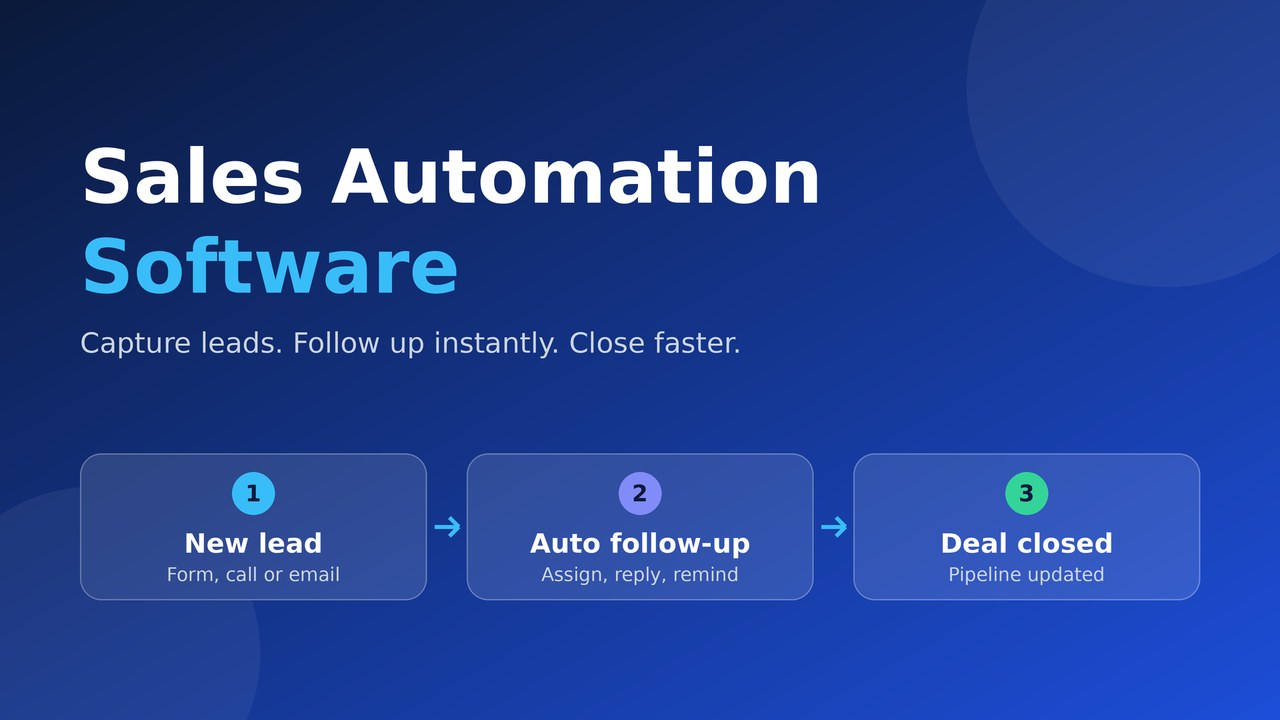
Sales automation software is a tool that automates repetitive sales tasks such as capturing leads, sending follow-ups, assigning prospects, scheduling reminders and updating records. It uses rules, triggers and AI to move each lead through your sales pipeline without manual effort, so reps respond faster, miss fewer follow-ups and spend more time selling.
₹499 per user per monthProfessional (up to 25 users)₹999 per user per monthEnterprise (unlimited users)Every sales team has the same quiet leak. A lead fills in a form, nobody calls for hours, the follow-up slips, and the deal goes to a competitor who simply answered first. Sales automation software closes that leak. It handles repetitive work such as lead capture, follow-ups, reminders and reporting, so your reps spend their time talking to buyers instead of updating spreadsheets.
This guide explains what sales automation software is, how it works, which features matter, what it costs in India and how to choose a tool that fits your team. You will also find a simple plan to automate your first workflows within a week.
What is sales automation software?
Sales automation software is a tool that automates repetitive sales tasks such as capturing leads, sending follow-ups, assigning prospects, scheduling reminders and updating records. It uses rules, triggers and increasingly AI to move a lead through your pipeline without manual effort at every step.
Most modern platforms sit inside a CRM, which stores the contact and deal data that automation acts on. If you are new to that foundation, our guide on what CRM software is and how Indian businesses use it covers the basics. You will also see this category called sales automation tools, sales workflow automation or CRM automation. The terms overlap heavily.
Here is a simple example. When a website enquiry arrives, the software creates the lead, assigns it to the right rep, sends an acknowledgement email and creates a follow-up task for tomorrow. No one has to click anything. Typical tasks that teams automate include:
- Capturing leads from forms, calls, email and ad campaigns
- Routing leads by city, product, source or deal size
- Sending acknowledgement emails and follow-up reminders
- Moving deals between pipeline stages when conditions are met
- Producing dashboards and reports without manual data pulls
How does sales automation software work?
Sales automation software works on a trigger and action model. A trigger is an event, such as a new lead arriving or a deal sitting in one stage for five days. An action is what the software does next, such as sending an email, assigning an owner or creating a task. Chain several of these together and you have a workflow.
A typical flow looks like this:
- Capture: leads arrive from forms, calls, email and integrations and land in one database.
- Qualify: rules or AI rate each lead using its source, budget, location or behaviour.
- Route: the lead goes to the right rep or team immediately, with an alert.
- Nurture: scheduled emails, calls and reminders keep the conversation moving until the lead replies.
- Record and report: every action is logged against the lead, and dashboards show the state of your sales pipeline.
Because every step writes back to the same record, reps avoid double entry and managers see an accurate picture without chasing updates.
What features should sales automation software have?
At a minimum, look for lead management, workflow automation, a visual pipeline, email integration, mobile access, analytics and API integrations. AI features such as automated calling, email drafting and lead scoring are valuable extras, especially for teams that receive more enquiries than they can answer quickly.
Feature | What it does | Why it matters |
|---|---|---|
Lead management software core | Captures, deduplicates and assigns leads | Gives you one source of truth |
Workflow automation | Runs trigger-based follow-ups and tasks | Removes manual chasing |
Visual sales pipeline | Shows every deal by stage | Makes stuck deals obvious |
Email and calendar integration | Sends, logs and schedules from one place | Keeps conversation history complete |
AI calling and email writer | Answers, qualifies and drafts replies | Covers nights, weekends and peak hours |
Analytics | Tracks conversion, rep activity and forecasts | Supports better decisions |
Mobile app | Gives field teams full access | Updates happen on the spot |
API integrations | Connects accounting, support and other tools | Reduces data silos |
Why does response speed matter in sales automation?
Response speed matters because buyer interest fades fast, and the first company to respond usually has the advantage. A well-known Harvard Business Review study on online sales leads audited 2,241 US companies and found an average response time of about 42 hours among those that replied within 30 days. It also found that firms contacting a lead within one hour were roughly seven times more likely to qualify it than firms that waited even one hour longer.
That research covers US companies and dates from 2011, so treat the exact figures as directional. The pattern, however, is one every Indian sales manager recognises: slow follow-up loses deals.
Automation fixes the speed problem in three ways:
- Instant acknowledgement: the lead receives a reply within seconds, at any hour.
- Instant assignment: the right rep is alerted the moment a lead arrives, with full context.
- Instant conversation: AI calling can answer and qualify a lead before a human is free. Read how AI voice agents qualify leads automatically for a closer look.
What are the benefits of sales automation tools?
The main benefits of sales automation tools are faster response, fewer missed follow-ups, cleaner data and better visibility into your pipeline. They also free reps from admin work, so more of their day goes to conversations that move deals forward.
- Faster first response: leads hear from you in seconds, not hours.
- Fewer dropped follow-ups: reminders and sequences run even when reps are busy or on leave.
- Cleaner data: records are updated automatically, so reports can be trusted.
- Better pipeline visibility: managers see stuck deals and weak stages early.
- Higher rep productivity: less typing, more selling.
- Consistent process: new hires follow the same proven steps from day one.
For a deeper look at how these gains turn into conversions, see our article on how CRM automation helps businesses convert more leads.
Which sales tasks should you automate first?
Start with tasks that are repetitive, rule-based and time-sensitive. Lead assignment, first response, follow-up reminders and stale-deal alerts give the fastest payoff because they are easy to define and costly to forget.
Task | Trigger | Automated action |
|---|---|---|
New website lead | Form submitted | Create lead, assign owner, send acknowledgement |
Missed call | Call not answered | Log it, create callback task, send a message |
Quote sent | No reply in 3 days | Remind the rep and send a follow-up email |
Stuck deal | 7 days in one stage | Alert the sales manager |
Deal won | Stage changed to closed | Notify accounts and start onboarding |
Cold lead | 30 days without activity | Start a re-engagement sequence |
Keep humans in charge of discovery calls, negotiation and relationship building. Automation should clear the path to those conversations, not replace them.
How is sales automation different from a CRM?
A CRM stores and organises customer data and interactions, while sales automation acts on that data by running tasks automatically. A CRM without automation is a database that depends on people remembering what to do. Automation without a CRM has no records to work with.
Aspect | CRM | Sales automation |
|---|---|---|
Main job | Stores contacts, deals and history | Runs tasks and follow-ups automatically |
Depends on | Users entering data | Rules, triggers and clean CRM data |
Output | An organised record of every customer | Actions taken without manual effort |
Best used | Together, as one platform | Together, as one platform |
If your team still tracks leads in spreadsheets, our comparison of Excel vs CRM software for growing businesses shows where spreadsheets break down.
How much does sales automation software cost in India?
Most CRM-based sales automation software in India is priced per user per month, and the plan you choose decides whether workflow automation is included. Always check that automation sits in the tier you are buying, because entry plans often leave it out.
Here is how OrbitoCRM prices its plans, as listed on its pricing page at the time of writing:
Plan | Price per user per month | Users included | Automation and insight |
|---|---|---|---|
Starter | ₹199 | Up to 5 | Basic lead management and analytics, no workflow automation |
Professional | ₹499 | Up to 25 | Workflow automation, custom workflows, advanced analytics, API integrations |
Enterprise | ₹999 | Unlimited | Everything in Professional plus AI-powered analytics, advanced security, SLA and white-label options |
All plans start with a 90-day free trial. Setup is ₹2,500 and GST is applicable. The optional Orbito AI add-on costs ₹1,500 per month and includes an AI email writer and 1,500 AI credits. As a quick example, a 10-person team on Professional would pay 10 x ₹499 = ₹4,990 per month before GST and add-ons.
How do you choose the best sales automation software?
Choose the best sales automation software by testing it against your real process. Fit matters more than feature count: the right tool automates the steps your team actually follows, is easy enough that reps use it daily, and connects to the systems you already rely on.
Use this checklist when comparing vendors:
- Real process fit: ask for a demo using your own lead data, not a generic script.
- Automation in your budget tier: confirm that workflow automation is included in the plan you can afford.
- Ease of use: if reps avoid the tool, the automation has nothing to work with.
- Mobile access: field and remote teams need to update deals on the go.
- Language support: if you sell in Hindi, Hinglish or regional languages, check that AI features handle them.
- Integrations: email, calendar, accounting and support tools should connect without custom code.
- Support quality: look for responsive human support and guided onboarding.
- Scalability and exit: make sure you can add users, upgrade plans and export your data.
- Free trial: test with real leads before committing.
How can a small business start with sales automation?
A small business should start by automating three simple workflows, run them for 30 days and expand only after measuring results. Starting small keeps the rollout manageable and builds team confidence. Our guide to CRM software for small business in India goes deeper on choosing a first system.
- Map your process: write down each stage from first enquiry to payment.
- Clean your data: import contacts from Excel, remove duplicates and fix missing fields.
- Automate three things: lead assignment, first response and follow-up reminders.
- Train the team: a short session on how to update deals and read the dashboard is enough.
- Measure after 30 days: check response time, follow-up completion and conversion by stage.
- Expand gradually: add quote follow-ups, stale-deal alerts and AI calling once the basics work.
What mistakes should you avoid with sales automation?
The most common mistake is automating a broken process, which only makes the problems happen faster. Fix the process on paper first, then automate it.
- Over-automating: too many templated messages make your brand feel robotic. Personalise key touchpoints.
- Dirty data: automation acts on whatever is in the CRM, so duplicates and blanks cause errors.
- No owner: assign one person to maintain workflows and review results.
- Ignoring reports: if you never check conversion and response metrics, you cannot improve them.
- Tool sprawl: separate apps for calls, email and tasks create the double entry you were trying to remove.
How does OrbitoCRM handle sales automation?
OrbitoCRM is an AI-driven CRM and HRMS platform by Web Digital Mantra, based in Bengaluru. It combines lead and deal management, workflow automation, AI calling and analytics in one workspace, so sales activity stays connected to the rest of your business.
- AI calling: Orbito AI answers new leads instantly, qualifies them in Hindi, Hinglish or English, and syncs transcripts, lead scores and outcomes to your CRM.
- Workflow automation: available on Professional and Enterprise plans, with custom workflows that trigger follow-up actions without code.
- Connected records: every action writes back to the lead or deal, which removes double entry.
- Governance: role-based access and audit logs keep your data controlled.
- Guided onboarding: data import and guided setup help teams move from spreadsheets without downtime.
Explore the full OrbitoCRM product suite, meet the AI agents or read why a connected CRM improves daily follow-ups.
- Starter plan costs ₹199 per user per month source
- Enterprise plan costs ₹999 per user per month source
| Option | Cost | Timing |
|---|---|---|
| OrbitoCRM Starter | ₹199 per user per month, up to 5 users, no workflow automation | 90-day free trial |
| OrbitoCRM Enterprise | ₹999 per user per month, unlimited users | 90-day free trial |
Serving Bangalore and nearby: Jp nagar, Bengaluru, Electronic city, Bengaluru.
Frequently asked questions
Is sales automation software the same as a CRM?
No. A CRM stores customer and deal data, while sales automation software uses that data to run tasks such as follow-ups and lead assignment automatically. Most modern platforms combine both, so you get storage and automation in one tool.
Will sales automation replace my sales reps?
No. Automation handles repetitive tasks like reminders, data entry and first responses. Reps still lead discovery, negotiation and relationship building, which is where deals are won. The goal is to give them more time for those conversations.
How long does it take to set up sales automation software?
It depends on your data and process. A basic setup with lead capture and three workflows can be ready within days, while data import, integrations and training add time. Choosing a vendor with guided onboarding and import tools shortens the process.
What can AI calling automate in sales?
AI calling can answer new leads instantly, ask qualifying questions, log the conversation and update the CRM with a transcript and lead score. It also follows up automatically until the lead replies. Human reps then focus on the leads that show real intent.